
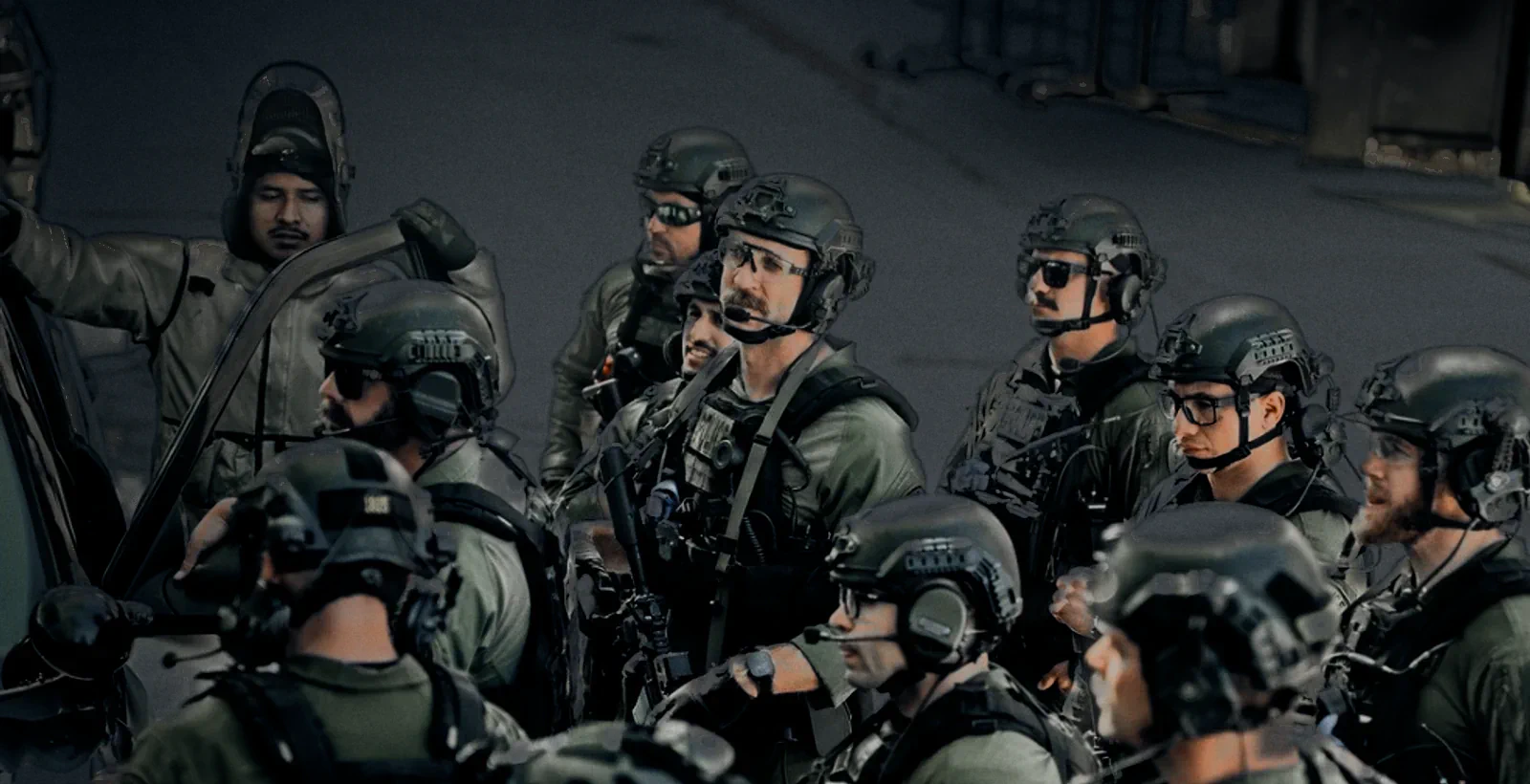
SWAT operations planning app Plan it. Brief it. Run it. Debrief it.
One record for the whole operation, on every phone on the team: the marked-up floor plan, the persons, the chat, the debrief. Not a group text, a whiteboard photo and somebody’s memory.
Not the one who signs?Send it to your team leader
- Built by an active SWAT operator
- Licensed per department
- iOS and Android
Why it exists
Planning isn’t optional— it’s operational.
Planning lived in fragments: notes, screenshots, chats, and memory.
Group texts, whiteboard photos, shared drives, and paper forms don’t add up to a plan. Tac Ops Pro replaces them with one record the whole team works from.
Visuals, roles, comms, and outputs live together.
Search warrant
Op Silver Creek
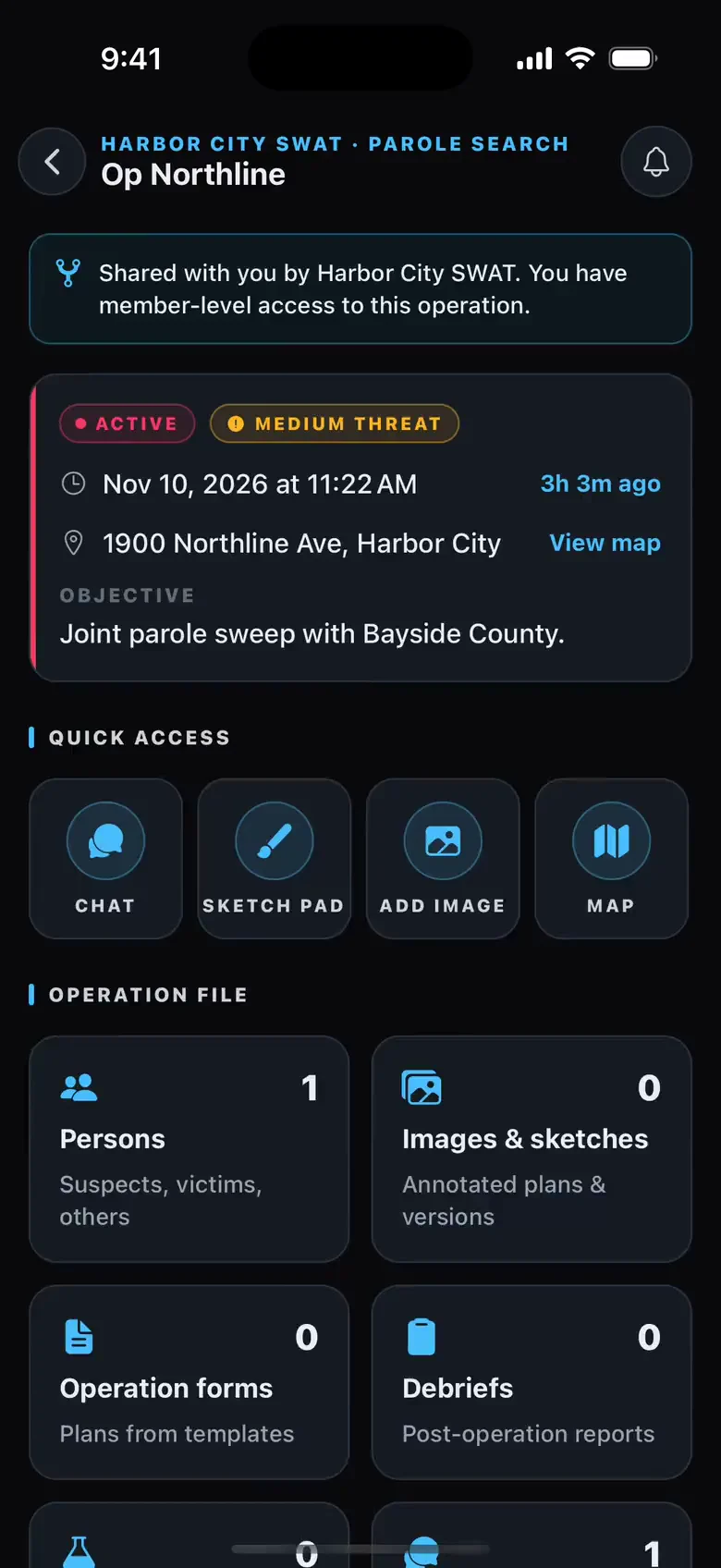
Operation file
- 5
Persons
Suspects, victims, others
- 4
Images & sketches
Annotated plans & versions
- 1
Operation forms
Plans from templates
- 1
Debriefs
Post-operation reports
- 2
Gas plans
Canister estimates
- 12
Chat
Real-time team channel
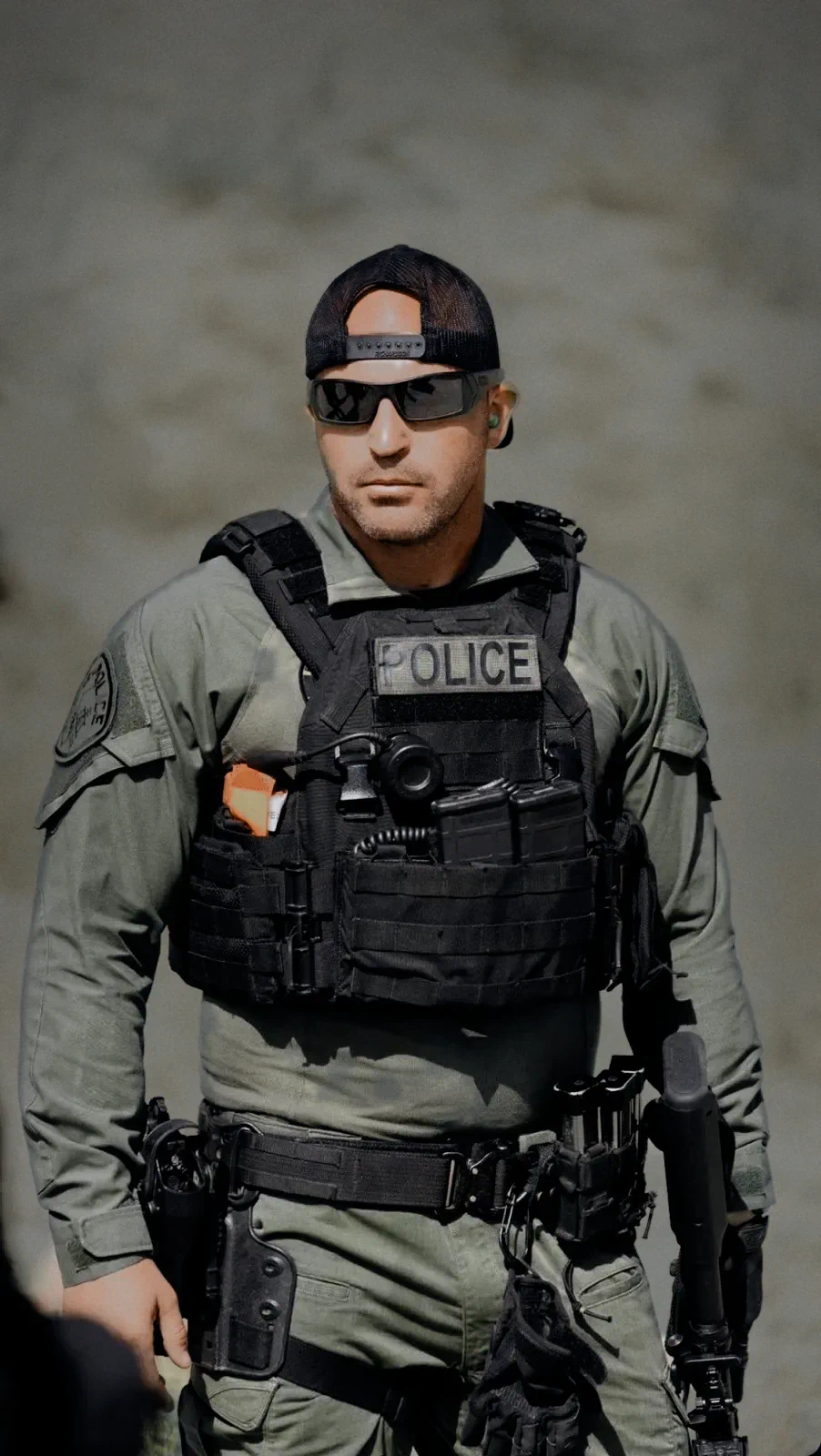
Founder
Built with standards. Led with intent.
With over a decade in law enforcement and active service on a Southern California tactical team, I built Tac Ops Pro after seeing the same failure repeated across operations: planning lived in fragments—notes, screenshots, chats, and memory.
That gap puts operators at risk. In the field, and later under review.
Tac Ops Pro was forged from operational reality. I’ve planned, executed, and debriefed high-risk missions where clarity, documentation, and control weren’t optional—they were survival requirements.
This platform isn’t theory. It’s built by someone who understands what’s at stake when decisions are made fast and scrutiny comes later.
The mission is simple: help teams plan with intent, operate with confidence, and walk away with a clear, documented operational record.
Taylor Lapoint, Founder
Active tactical team · Southern California · 10+ years law enforcement
Then I heard the voice of the Lord saying, “Whom shall I send? And who will go for us?” And I said, “Here I am. Send me!”
How it works
One record. End to end.
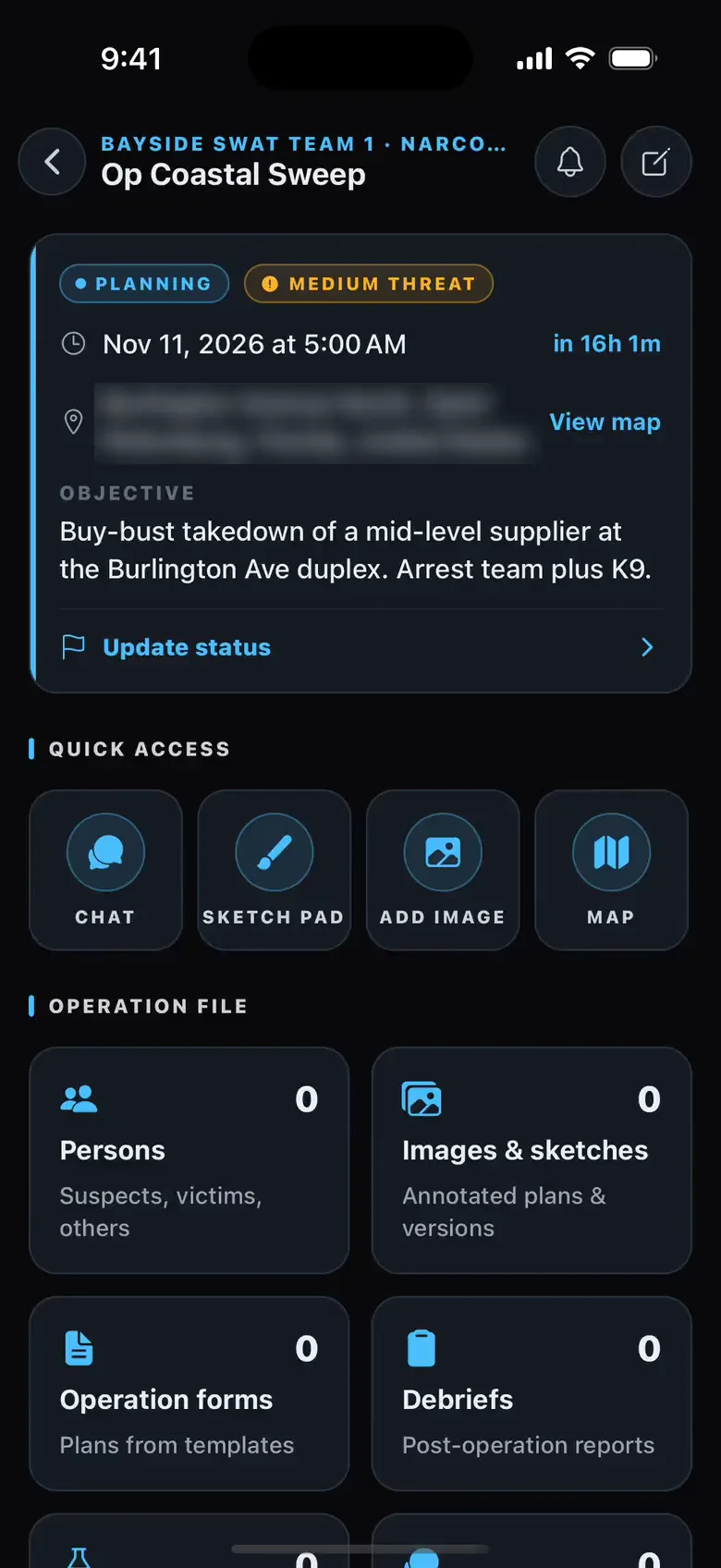
Five states, Planning to Archived, and a sixth for the operation that gets called off. The whole file moves with it. This is the app itself, taking one operation from first plan to archive.
- 01 / 05Planning
Build the record.
Planning: Gathering intelligence and developing the tactical plan.
Name it, schedule it, pin the location, and set the situation code and threat level. Then fill the file: persons, annotated blueprints, sketches, the map, and forms from your own templates.
- Situation codes for search warrants, barricades, hostage rescue and more, plus your own
- The threat level decides which person fields are required
- A countdown to the scheduled time on the operation dashboard
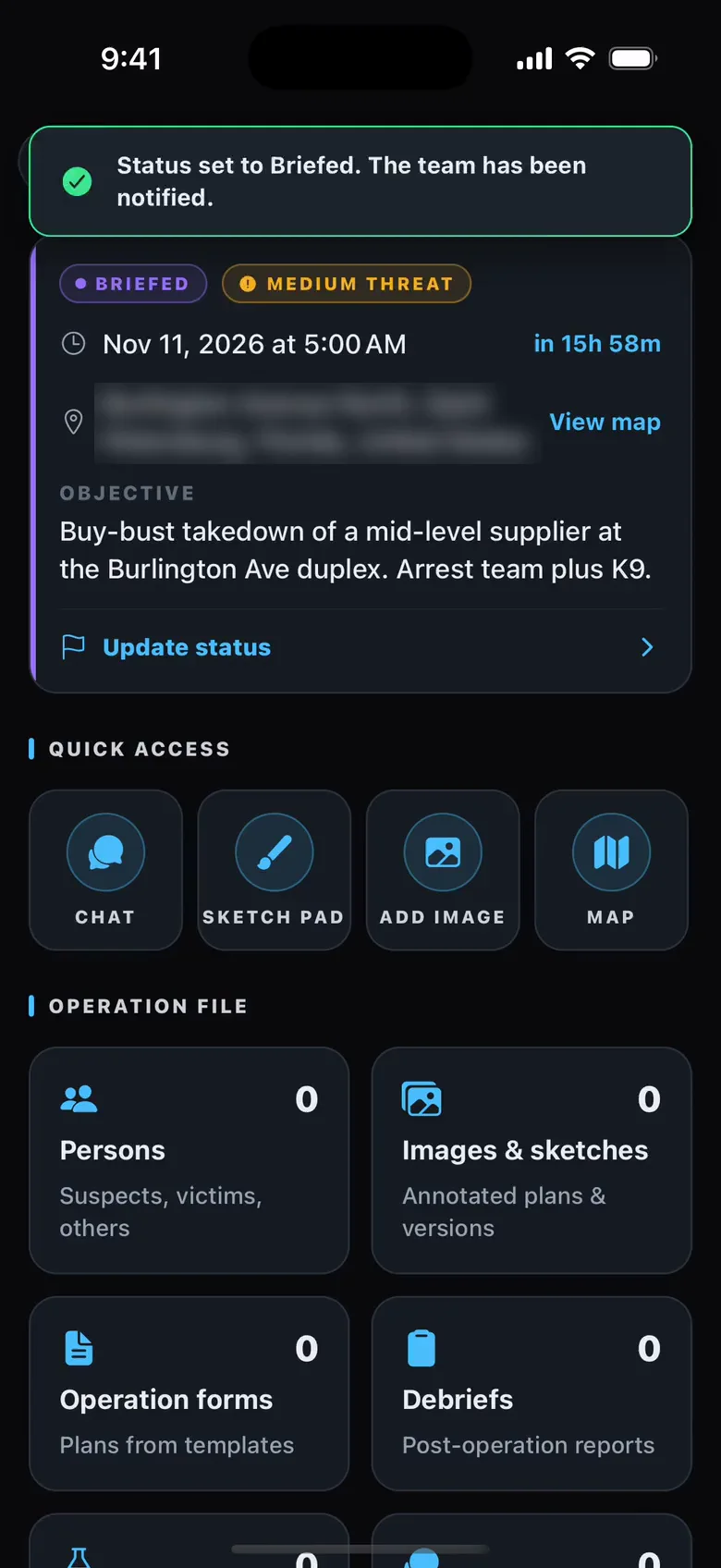
- 02 / 05Briefed
Mark it briefed. Tell the team.
Briefed: Team briefed. Tactical plan finalized.
An administrator sets the status, and every member is notified. When someone needs it on paper, export the briefing as a PDF with flagged persons redacted.
- Status is visible to every member and every team the operation is shared with
- A briefing PDF with redaction and images
- Print it or share it straight from the phone
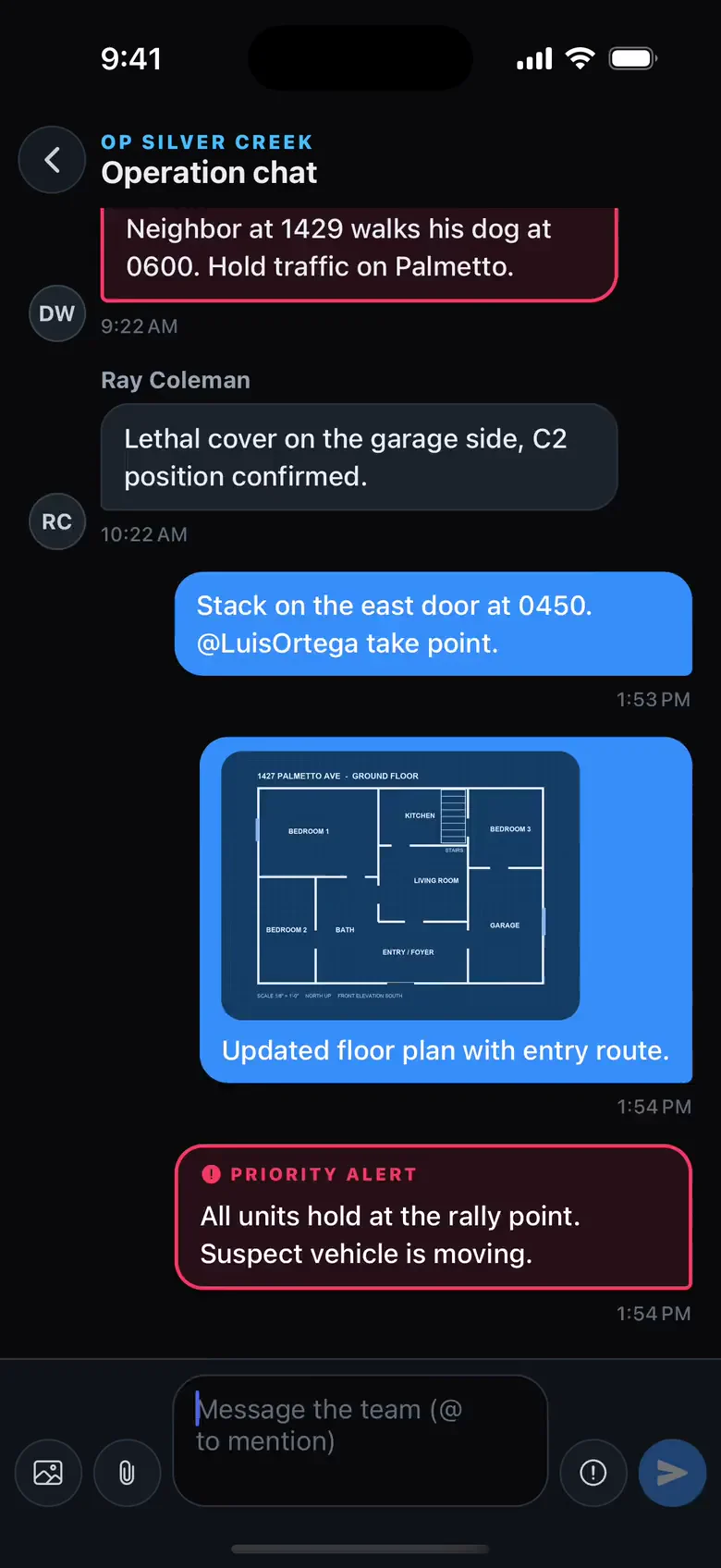
- 03 / 05Active
Keep everyone on one thread.
Active: Operation in progress. Team executing the mission.
Every operation has its own chat for what does not belong on the radio: the updated floor plan, a change to the plan, a priority alert that stands apart from everything else. Notifications are set per operation, down to quiet hours.
- Mentions and image attachments in the operation thread
- Priority alerts marked in the thread and in notifications
- All, Priority only, or Muted, operation by operation
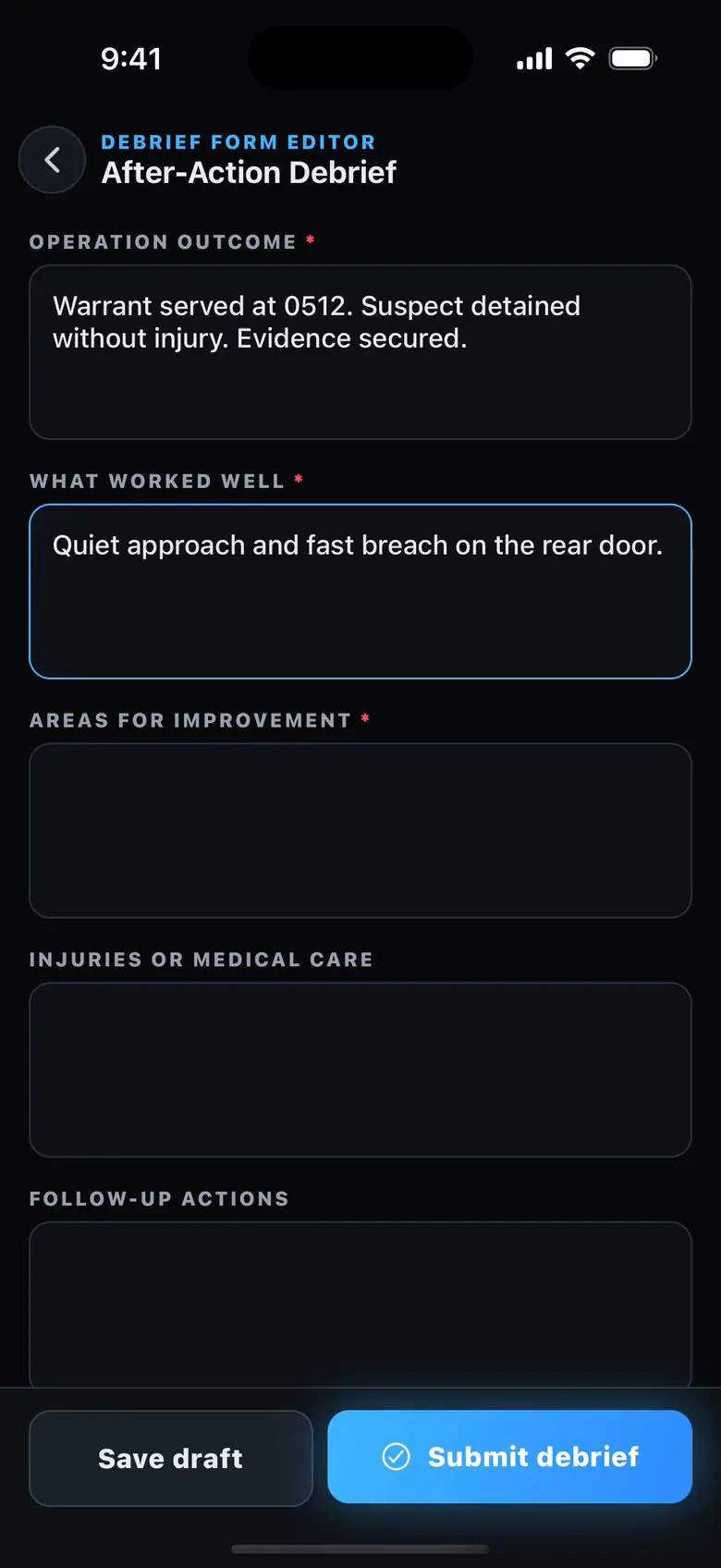
- 04 / 05Completed
Debrief while it’s fresh.
Completed: Execution finished. Ready for debrief and documentation.
After-action debriefs are forms your team defines: the outcome, what worked, what to improve, injuries, follow-up. Attach photos and files, save a draft, and submit when it’s right.
- Debrief templates built by your administrators
- Drafts, attachments, and a submitted record with its author
- Saved to the operation it belongs to
- 05 / 05Archived
Keep the record.
Archived: Finalized with debrief. Kept for reference and training.
Finalized with its debrief, the operation stays with the group for reference, training, and review. An operation cancelled before execution keeps all of its planning data too.
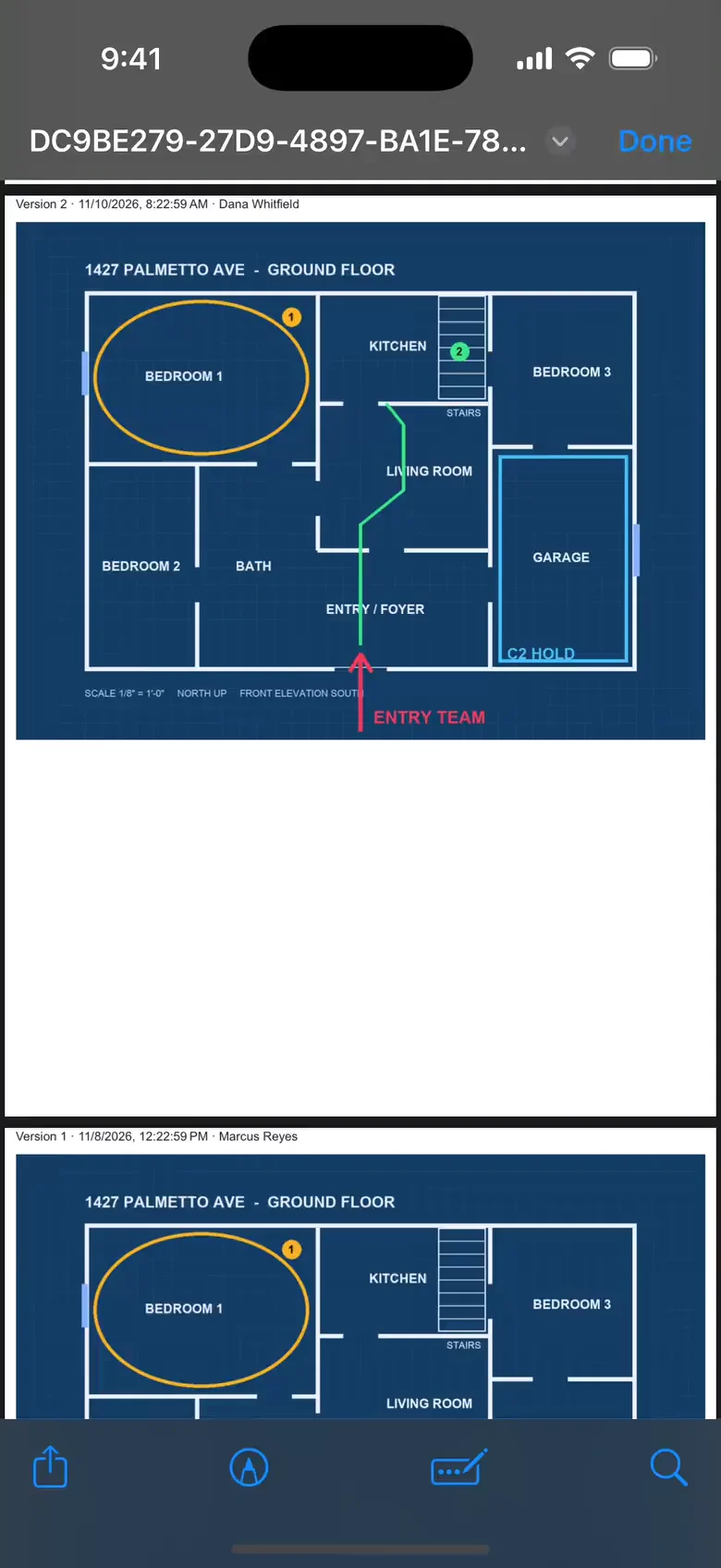
- Every saved version of every image and sketch, with its author and time
- The full record exports as a PDF at any point
- The group’s operations in one list, filtered by state
Capabilities
What goes in the operation file.
No mock-ups. Pick a capability and watch it in the app.
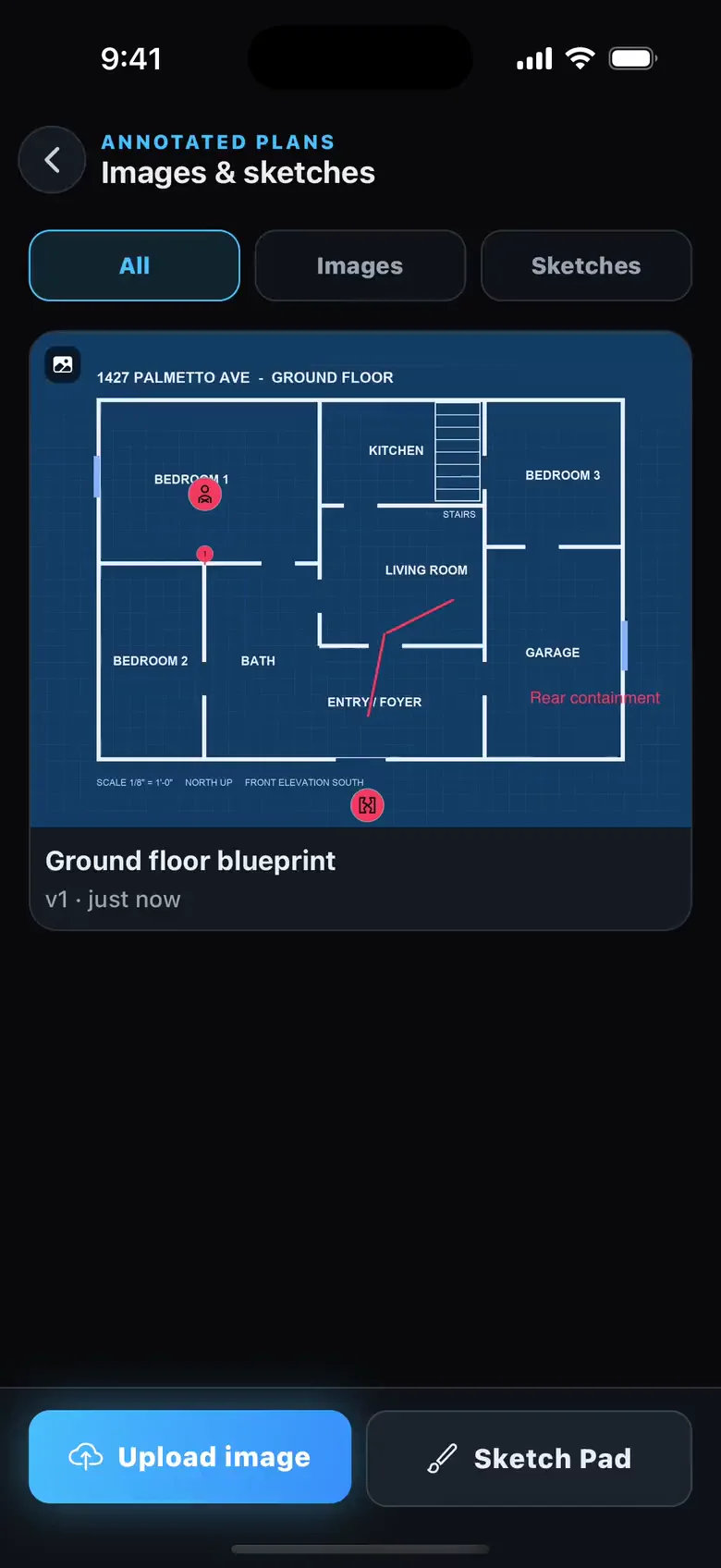
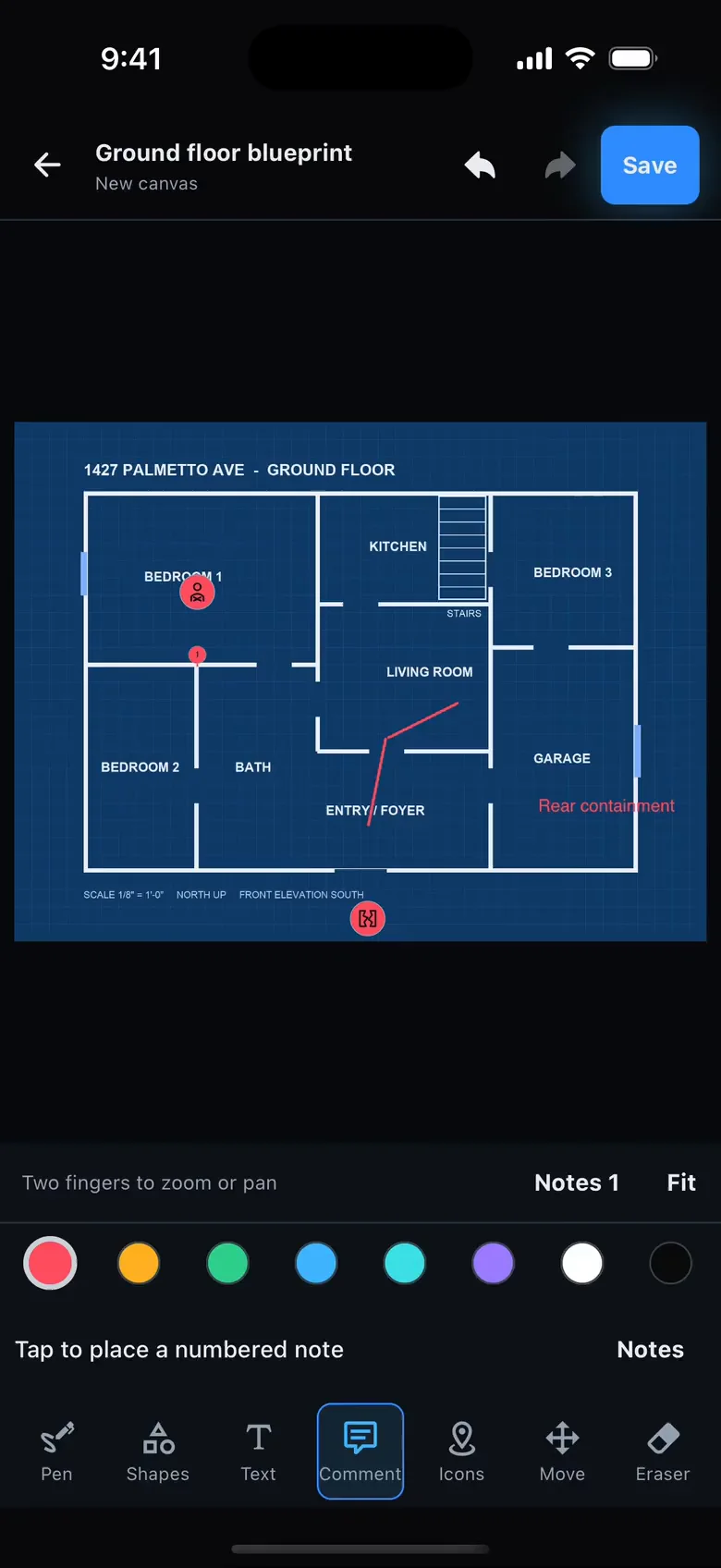
Mark up the plan everyone briefs from.
Upload a blueprint, a map or a photo and work on it directly: draw routes, drop tactical icons, label rooms, and pin numbered comments where they matter.
- Pen, shapes, text labels and numbered comments
- Eighteen tactical icons, from Entry point and Breach point to K9, Medic and Overwatch
- Saved with the image as one composite
Every save is a new version.
Plans change as intel changes. Each save of an image or sketch is kept as its own version with a time, an author and an optional note, and earlier versions stay one tap away.
- Browse the versions and edit from any of them
- One editor at a time, with a lock that shows who has it open
- The latest version is what the team sees first
Start from a blank grid.
No blueprint yet? Diagram the approach from scratch with shapes, tactical icons and labels, and keep the sketch in the operation next to everything else.
- Rectangle, ellipse, line, arrow and polygon tools
- The same icons, colors and text sizes as annotation
- Undo, redo, and the same version history
Put the floor plan on the building.
See the operation’s location on hybrid or satellite imagery, then lay the blueprint over the structure and line it up.
- Position, width, rotation and opacity controls
- Every member sees the same aligned overlay
- Opens the location in your maps app
Every known person, in the file.
Record suspects, victims and others on the operation. Suspects carry identity, a photo and vehicle details. Victims and others carry contact details, medical needs and a triage status.
- Triage status: Immediate, Delayed, Minor or Deceased
- Vehicle make, model, year, color, plate and VIN on each suspect
- Required fields tighten as the threat level rises
Try it: threat level
Required: Victims also need medical needs and contact information. Others need a name and their relationship.
Protect the people in the file.
Two switches on every victim and every other person on the record. Confidential hides the person from teams you share the operation with. Redact shows them as [REDACTED] in a PDF exported with redaction applied.
- For domestic violence victims, protected witnesses and juveniles
- For residents, family members and bystanders as well as victims
- Badges on the person’s card show what is set
Your forms. Your SOPs.
Administrators build the templates. Every member completes them, operation by operation, so the same questions get answered the same way every time.
- Short text, paragraph, number, date, choice, checkbox and yes/no fields
- Any field can be marked required
- Save a draft, attach photos and files, then submit
One thread per operation.
Updates stay with the operation they belong to, not in a group text that outlives it.
- Mention a teammate by name
- Attach images, such as the updated floor plan
- Priority alerts that stand apart from routine traffic
Hear what matters. Mute what doesn’t.
Push notifications for chat, access requests, approvals and status changes, gathered in one alert center. Each operation has its own setting.
- All activity, priority alerts and mentions only, or muted
- Quiet hours with a start and an end time
- Tap an alert to land on what it is about
Rough out the gas plan in the file.
Enter a room’s dimensions and ventilation to get its volume and a rough canister estimate, checked against your munition inventory and saved to the operation.
- Feet or meters, and four ventilation levels
- A munition library your administrators configure
- A planning estimate from room volume and ventilation only. Confirm it against the manufacturer’s data and your agency’s chemical agent policy before deployment.
The whole operation, on paper.
Generate a briefing PDF of the full record: details, persons, forms, debriefs, and every image and sketch version. Check the page count and sections, then share, print or save it.
- Two switches: apply redaction, include images
- Flagged persons appear as [REDACTED]
- Suited to briefing packets, training and court documentation
Organized the way teams are.
Create a group, invite members by email, and give each one two roles: a team role that records their position on the team, for reference in briefings, and an application role that sets what they can change.
- Team roles from Team Leader and Breacher to K9 Handler, Medic and Containment 1, 2 and 3, or your own
- Administrators create operations and templates, invite, and approve access
- Members view, chat and complete forms
Built in. Add your own.
The lists a team reaches for are already there, and administrators can add their own situation codes and roles.
- Situation codes
- Search Warrant
- Probation Search
- Parole Search
- Barricaded Subject
- Hostage Rescue
- Team roles
- Team Leader (TL)
- Assistant Team Leader
- Breacher
- Shield Operator
- Lethal Cover
- 40mm Less Lethal
- Hands-On / Arrest Team
- K9 Handler
- Medic
- Drone Operator
- Radio Operator
- Containment 1 (C1)
- Containment 2 (C2)
- Containment 3 (C3)
- Tactical icons
- Entry point
- Breach point
- Hazard
- Objective
- Rally point
- Command post
- Overwatch
- Perimeter
- K9
- Medic
- Vehicle
- Suspect
- Victim
- Team member
- Door
- Window
- Stairs
- North arrow
Mutual aid and task forces
Share one operation. Not your whole system.
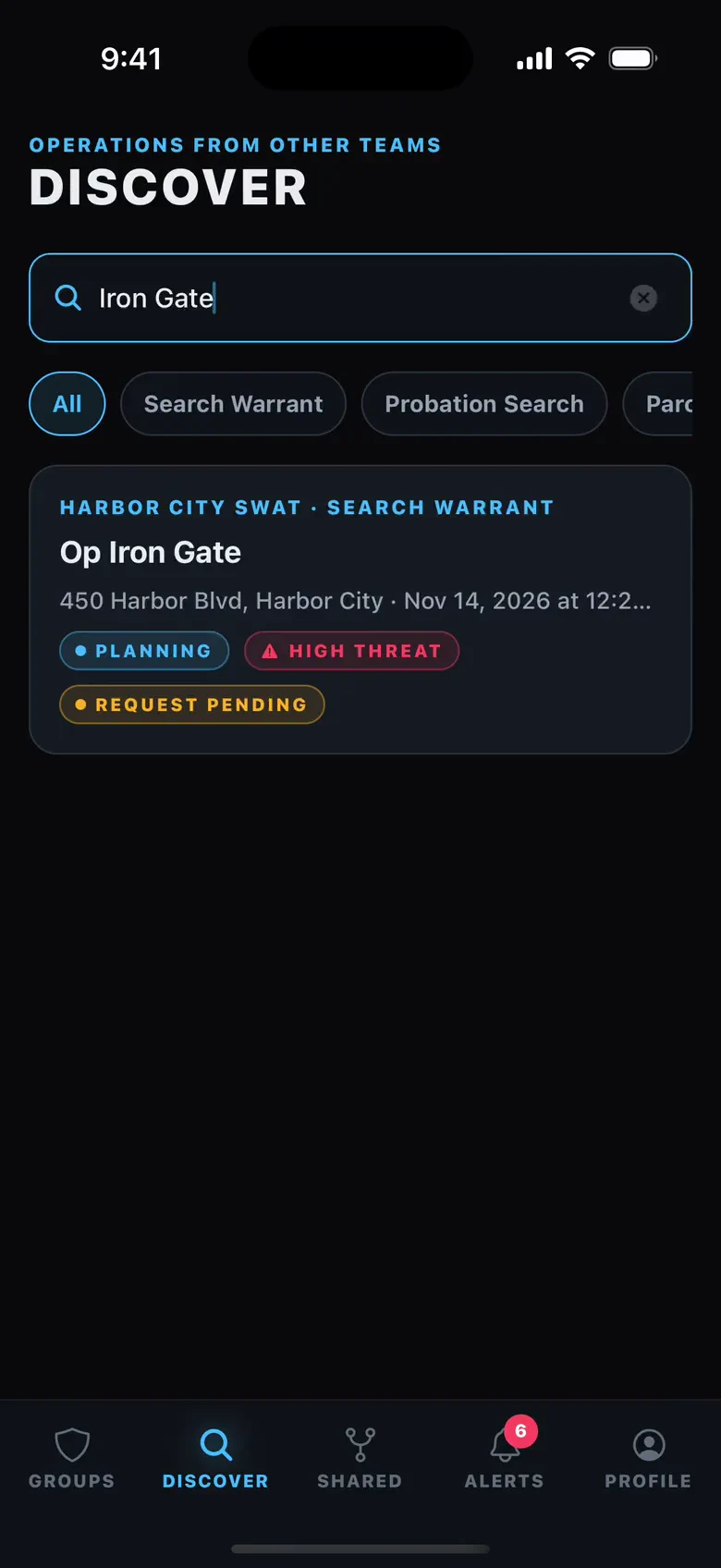
When another team needs in, they ask, you decide, and you can take it back. One switch on each operation decides whether other teams can find it at all. Sharing in full
- 01Request
They ask, with a reason.
A new operation starts out findable by other teams. The app calls this Discoverable. Turn it off on anything other teams should not find. While that switch is on, anyone else on Tac Ops Pro can see the operation’s name, your group, the situation code, the location, the date and time, the status and the threat level. To see more, a team submits a request with its justification and intended use, for one person or on behalf of a group.
- 02Decide
Your administrators decide.
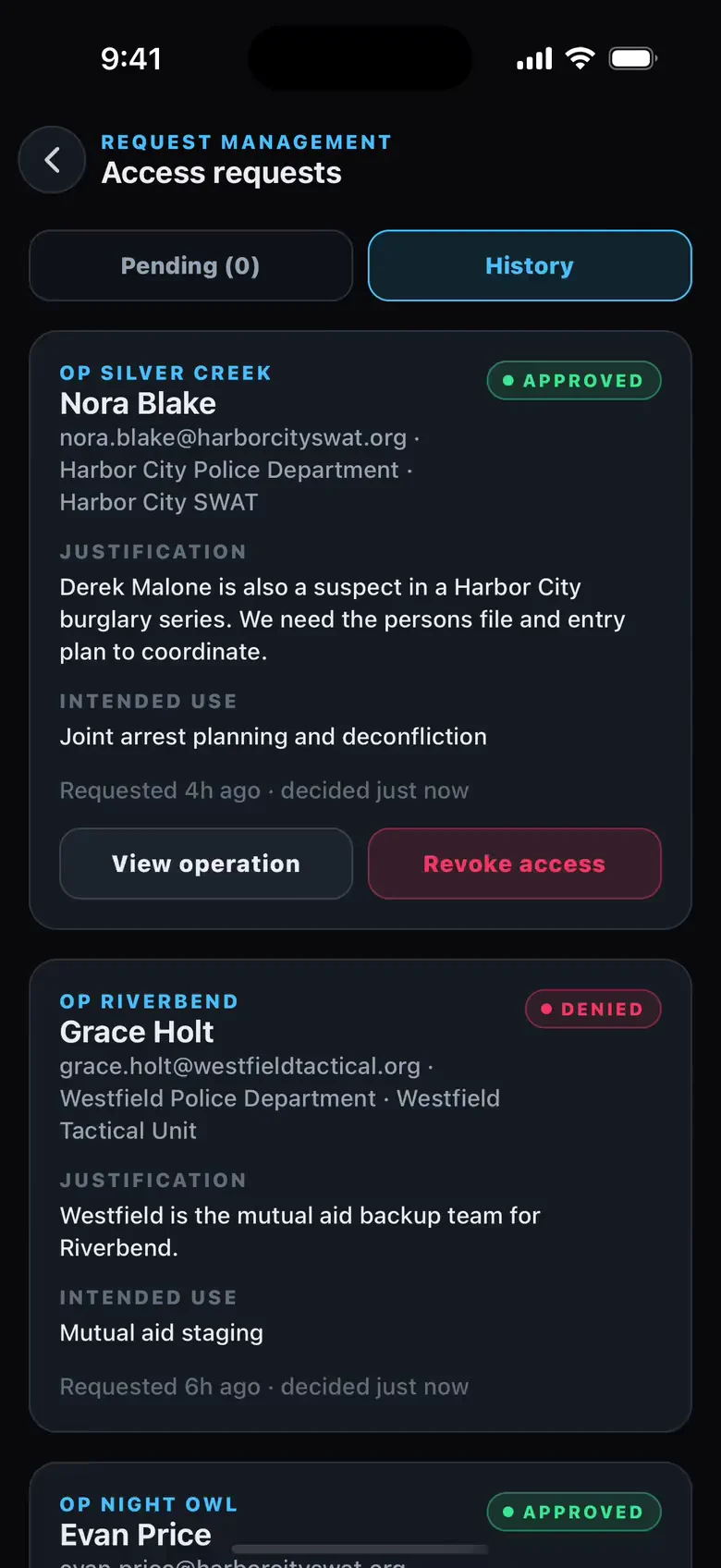
The request shows the requester’s name and email, the agency and team on their profile, and their reason. Those details are entered by the requester, so confirm them before you approve. Either way the requester is notified, and the decision is kept in the history.
- 03Shared
One operation. Member‑level. Revocable.
An approved team can view the plan, forms and images and join the chat for that operation only. Persons marked confidential stay hidden from them, and you can revoke access at any time.
Security and oversight
Built for sensitive operations.
A planning tool should not be the leak. Here is what protects the record, and who can see it, including us.
- Encryption
- Operational data is protected in transit and at rest on AWS infrastructure to reduce exposure of sensitive plans, attachments, and communications.
- Sign-in
- Accounts sign in with an email address and password. A 6-digit code sent to that address verifies it at sign-up and resets a forgotten password. The app confirms the email address, not the person’s identity or agency, so your administrators decide who is invited and who is approved.
- Access control
- Access is set at the group and operation level, with explicit approval, denial, and immediate revocation.
- Privacy flags
- Persons marked confidential are hidden from teams with shared access. Victims and others flagged for redaction appear as [REDACTED] when a PDF is exported with redaction applied.
- Version history
- Every saved annotation and sketch becomes a new timestamped version, and earlier versions stay browsable.
- Activity log
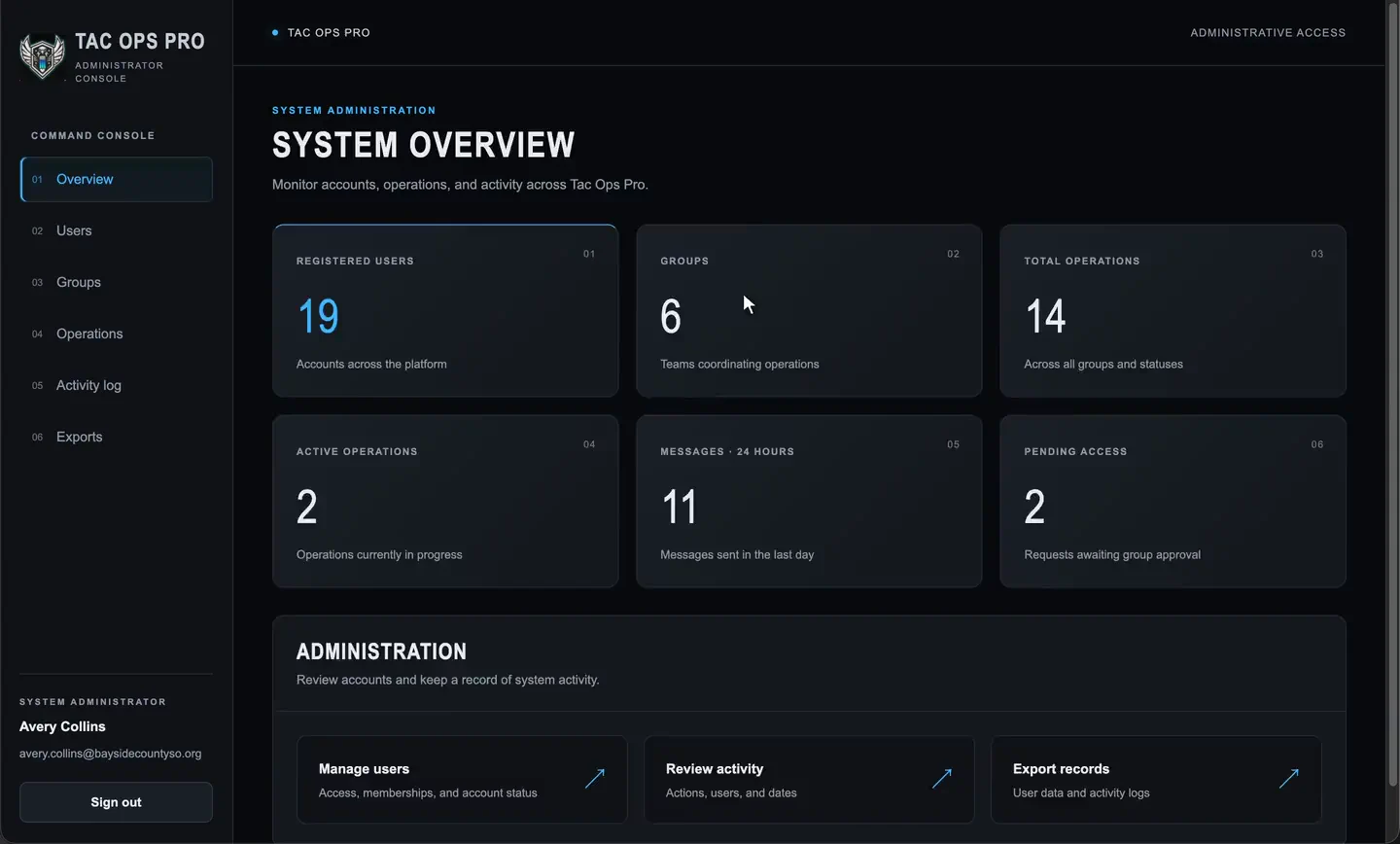
- Account and operation activity is logged. Tac Ops Pro’s system administrators, not your group administrators, can review accounts and activity for monitoring and compliance, and export both as CSV.
- Data stewardship
- Users can delete their own account in the app, or ask us to remove their account and associated data.
- Reviewing against your agency’s IT or CJIS requirements?
- Security documentation is available for procurement review.
What Tac Ops Pro staff can see.
This is the console our own system administrators use to run the platform: accounts, groups, operations, and the activity log. It is not part of a department’s license.
For departments
One license. The whole team.
Tac Ops Pro is licensed per department, not per seat.
One agreement puts every operator, supervisor, and reviewer on the same system—and one line item covers it in the budget.
Not the one who signs? Start it anyway. Request the demo yourself, or put this in front of your team leader or commander.
Demo
A direct conversation and live walkthrough with the founder—an active operator, not a sales rep.
Pilot
Your team plans real operations in Tac Ops Pro. Templates get built around your SOPs, not the other way around.
Rollout
Department-wide licensing with onboarding included. Every operator on the same record from day one.
- Standardization
- The same planning structure across every shift, team, and supervisor—not whoever built the last packet.
- Documentation
- Timestamped versions of annotated images and sketches, plus a PDF packet suitable for briefings, training, and court documentation.
- Consolidation
- Replaces the group texts, whiteboard photos, shared drives, and paper forms.
- Continuity
- Plans, debriefs, and lessons learned stay with the department, not in a departing operator’s phone.
Built for SWAT and SRT, warrant service, regional task forces, mutual aid partners, command staff, and training or review.
Quotes and procurement paperwork handled directly. Request a quote
FAQ
Questions. Direct answers.
What it is, how it works, and what it does not do.
Because the plan your team briefs from should be in one place, current, and still there when someone asks for it. Tac Ops Pro replaces the notes, chats, screenshots and PDFs with one record, built on your forms, with a PDF export.
Yes. Start it yourself. Request a demo and you get the same walkthrough a commander would, from the founder, who is an active SWAT operator. Licensing is per department, so the agreement is your agency’s to sign, and a pilot puts your team on it for real operations first. If that is easier, send this page to your team leader.
The plan is built once, in one place. Templates and required fields stop the same questions being asked twice, the team works from the current version, and the briefing packet is an export, not a rebuild.
It’s built for operations—not projects. An operation has a situation code and a threat level, persons with triage, annotated blueprints, its own chat, and a briefing PDF. Everything ties back to the operation record instead of scattered tools.
No. It does not track training hours or certifications. It does one job: one operation, planned, briefed, coordinated and debriefed in one record, on the phones your team already carries.
It gives a reviewer something to read. Every saved version of an image or sketch carries its author and time, submitted forms and debriefs carry their author, access decisions are kept in a history, and the whole record exports as a PDF. What goes to the DA or to counsel is still your agency’s call.
Your administrators build the form templates and mark the fields that are required, and every member completes the same forms on every operation. The threat level sets which person details cannot be skipped. The structure is yours, and it is the same across shifts, units, and mutual aid.
No. The threat level is Low, Medium, or High, set by the administrator who builds the operation, and it decides which person fields are required. Your risk assessment or threat matrix can be built as a form template and completed on every operation, so the answers sit in the record next to the plan. Setting the level stays a decision your team makes.
The built-in situation codes are Search Warrant, Probation Search, Parole Search, Barricaded Subject, and Hostage Rescue, and your administrators can add their own. It fits any operation where a team plans against a location and the people in it, including multi-agency operations. See how a search warrant is planned in it.
Yes, one operation at a time. A new operation starts out findable by other teams, with a limited preview, unless you switch that off. Another team requests access with a justification, and your administrators approve or deny it. An approved team gets member-level access to that operation only, persons marked confidential stay hidden from them, and you can revoke access at any time.
At the department level. One agreement covers the whole team: operators, command staff and reviewers. Nobody counts logins. Pilot programs and formal quotes are handled directly; contact us with your agency details.
iOS and Android, with a dark interface. Planning happens in the mobile app. For a briefing-room screen or a paper packet, export the PDF.
Operational data is hosted on AWS infrastructure with encryption in transit and at rest. Access is controlled at the group and operation level with explicit approval and revocation, and any user can delete their account in the app or request deletion of their account and data. Tac Ops Pro’s own system administrators can access activity logs and operational data for monitoring and compliance. Security documentation is available for procurement review.
No. It gives a planning estimate from room volume and ventilation, checked against your munition inventory and saved to the operation. Confirm every figure against the manufacturer’s data and your agency’s chemical agent policy before deployment.
Department pilots and licensing are open now. Request a demo and we’ll reach out directly about timing for your team.
Yes. The core stays put: the operation record, the forms and the export. New capabilities follow operator feedback and policy requirements.
Request a demo
Get it in front of your team.
Operator, team leader or command, it starts the same way: a walkthrough with the founder. An active SWAT operator, not a sales rep.
What happens next
- Tell us about your team.
- Get a live walkthrough with the founder.
- Pilot it on real operations.
For iOS and Android.