
Tactical diagram and floor plan sketch app Floor plan and blueprint markup for SWAT teams.
Put the route, the breach point and the positions on the image the whole team briefs from. Upload a blueprint, a map or a photo of the target and work on it directly, or sketch the tactical diagram from scratch, on your phone.
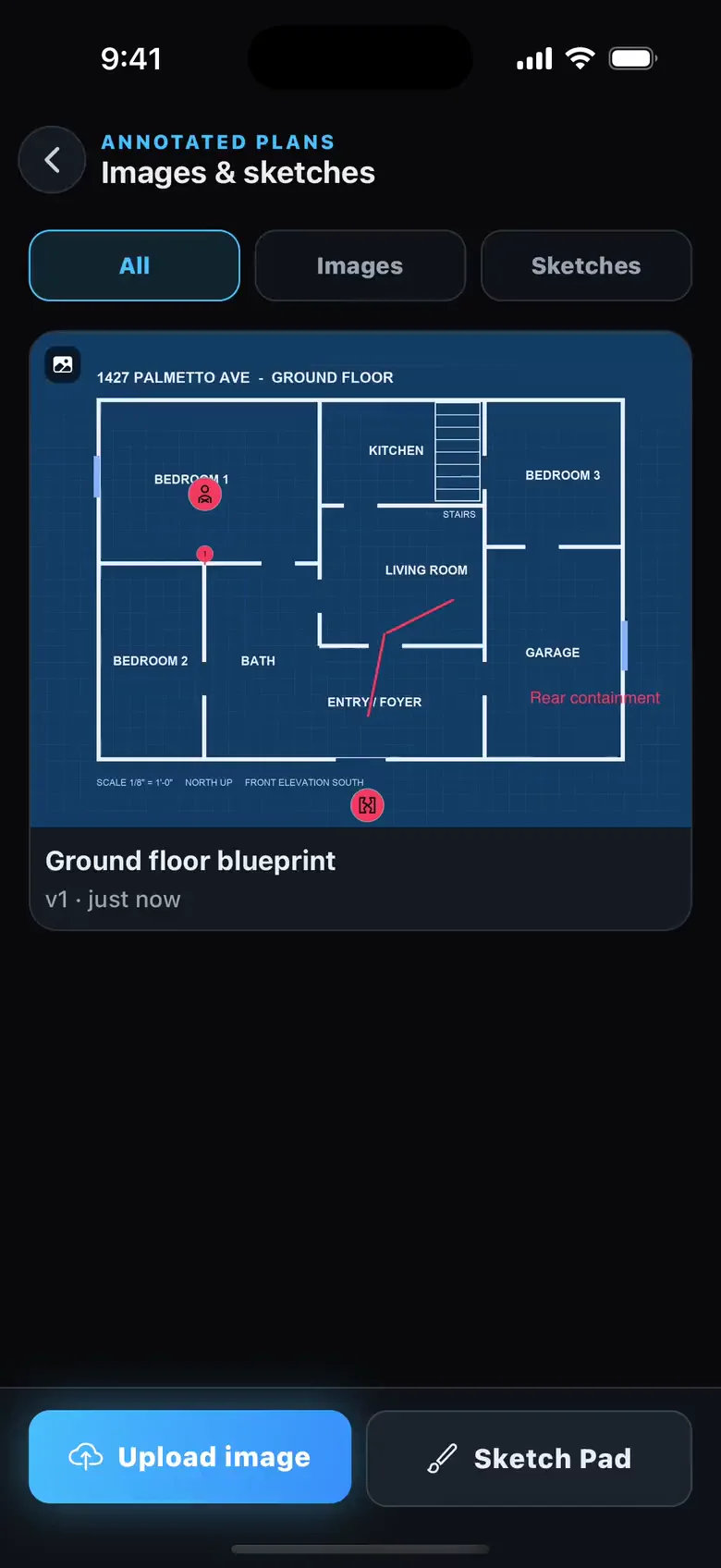
Mark up the plan everyone briefs from.
Draw routes with the pen, drop shapes and text labels, and pin numbered comments where they matter. Eighteen tactical icons cover the points a plan is built on: entry point, breach point, hazard, objective, rally point, command post, overwatch, perimeter, K9, medic, vehicle, suspect, victim, team member, door, window, stairs and a north arrow.
- Pen colors and widths, shapes, text labels and numbered comments
- Saved with the image as one composite
- One editor at a time, with a badge that shows who has it open
No blueprint? Sketch the floor plan on a blank grid.
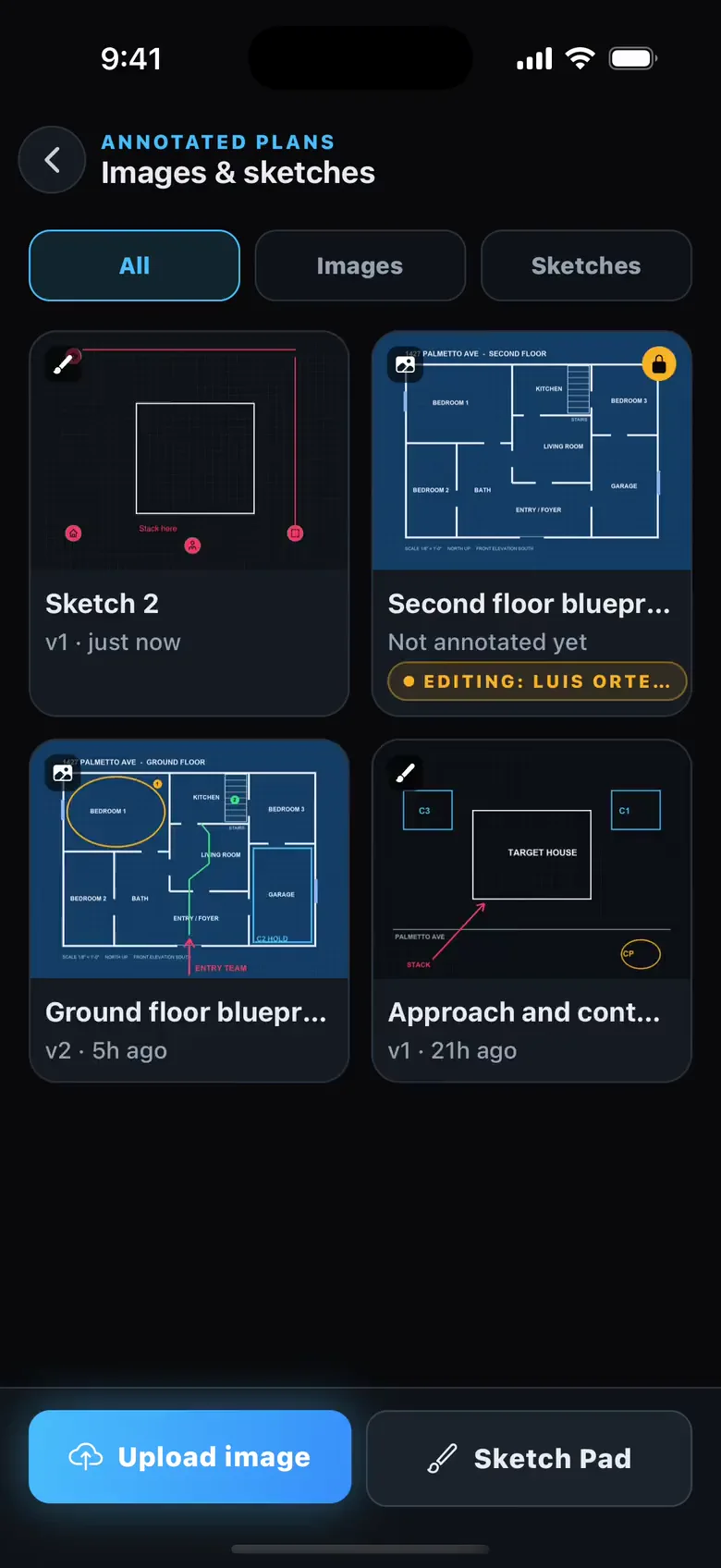
The Sketch Pad is a blank grid canvas with the same tools, plus rectangle, ellipse, line, arrow and polygon. Sketch the entry diagram from scratch and keep it in the operation next to everything else.
- Text in three sizes, undo and redo
- The same icons and colors as annotation
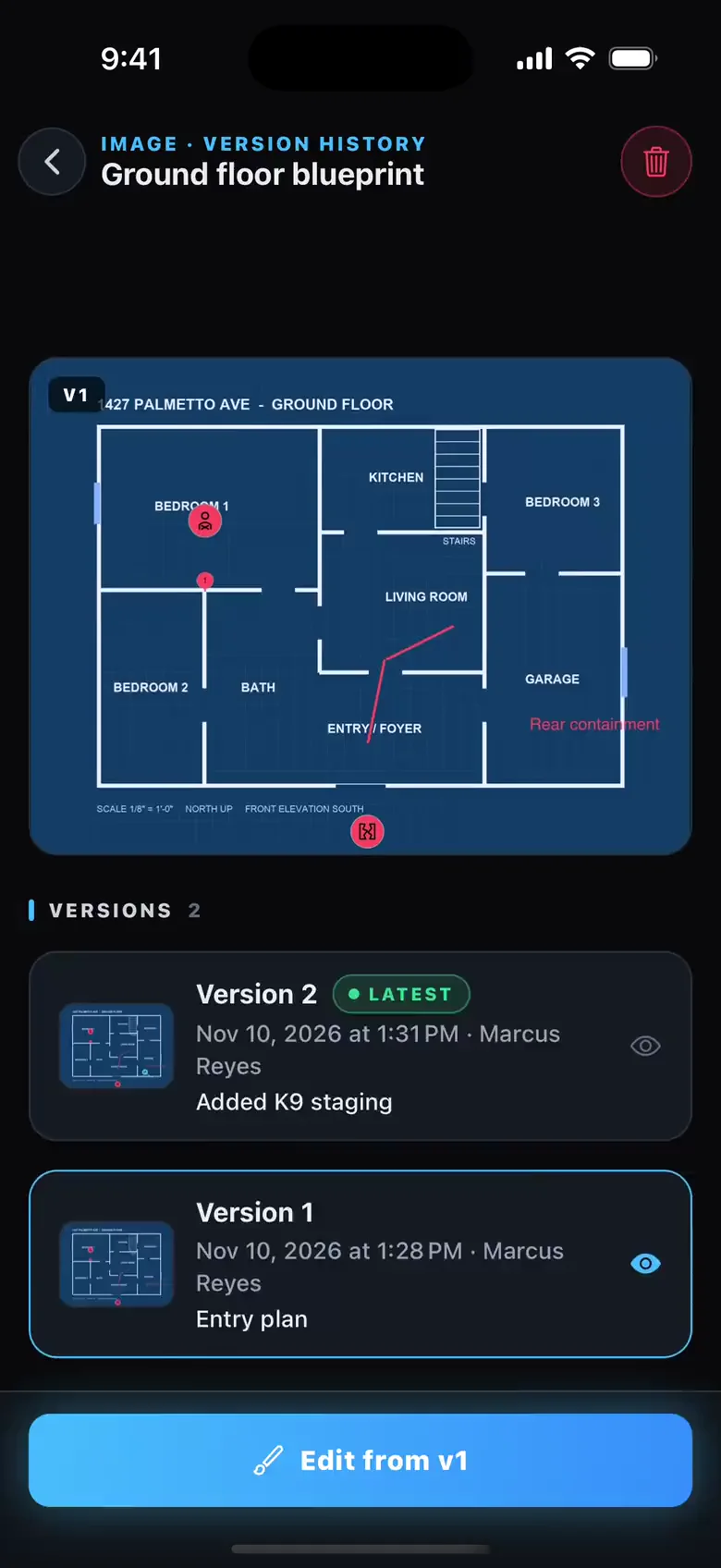
Every save is a new version.
Plans change as intel changes. Each save of an image or a sketch is kept as its own version with a time, an author and an optional note. The latest is what the team sees first, and earlier versions stay in the version history.
- Browse the versions and edit from any of them
- Every version goes into the PDF export of the operation
Put the floor plan on the building.
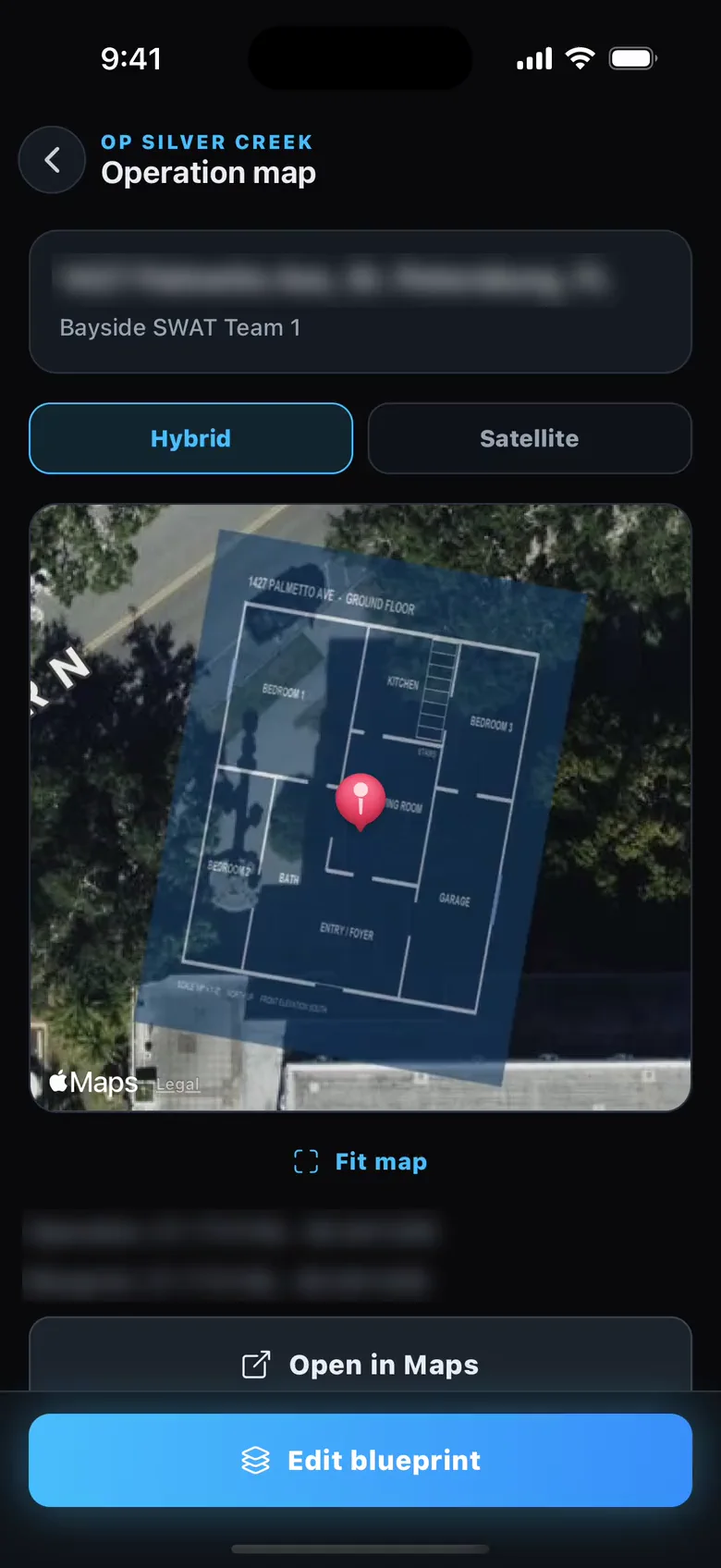
See the operation’s location on hybrid or satellite imagery, then lay the blueprint over the structure and line it up by position, width, rotation and opacity. Every member sees the same aligned overlay.
Questions
Direct answers.
- Can we use our own floor plans and photos?
- Yes. Upload a blueprint, a map or a photo from your phone, give it a title, and annotate it. If there is no drawing of the location, sketch one on the blank grid.
- Does everyone on the team see the same drawing?
- Yes. Images and sketches live in the operation, and every member sees the latest saved version first. Earlier versions stay in the history with their author and time.
- Can two people edit a drawing at once?
- No. One person edits at a time. An image that is open for editing shows a badge with the editor’s name, so nobody overwrites anybody else.
Get it in front of your team.
Operator, team leader or command, it starts the same way: a walkthrough with the founder. An active SWAT operator, not a sales rep.